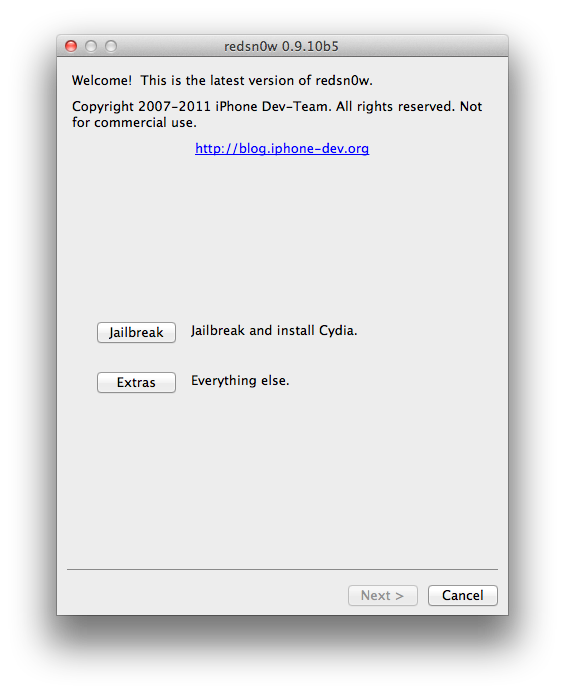
These are instructions on how to save your iPhone unlock ticket using RedSn0w after unlocking with SAM. It's very important you do this to ensure continued unlock of your SIM in the future.
Step One
Download the latest version of RedSn0w from here.
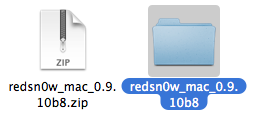
Double click to extract the downloaded archive.
Step Two
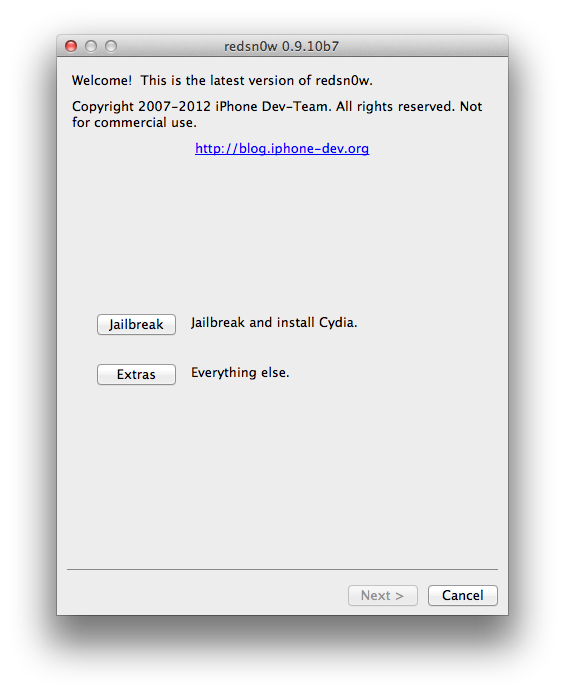
Launch the RedSn0wapplication from within the extracted folder.
The iPhone Dev-Team has updated RedSn0w with the ability to save iPhone unlock tickets.
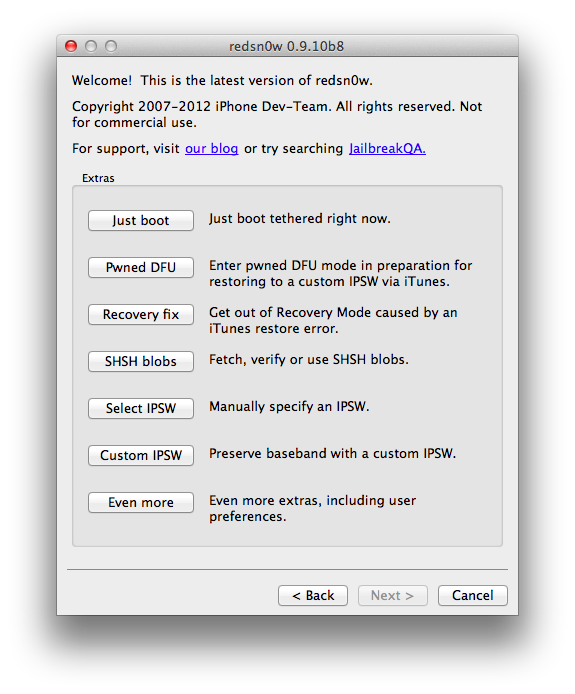
redsn0w 0.9.10b8 adds the ability to backup arbitrary directories or files from your device into a zip file on your Mac or PC. The new button is Extras->Even More->Backup and it requires your device to be jailbroken with the afc2 service enabled (most jailbreaks include that). By default it will backup your activation records from /var/root/Library/Lockdown, which is useful for everyone taking advantage of today's SAM unlock using Loktar_Sun's trick
These are instructions on how to unlock your iPhone using SAM. This method will work with the iPhone 4S, iPhone 4, iPhone 3GS, and iPhone 3G on iOS 5.x.
Step One
Jailbreak your iPhone
Step Two
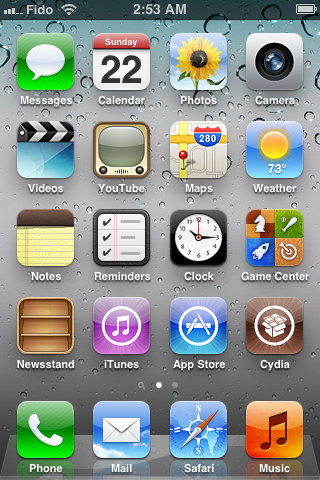
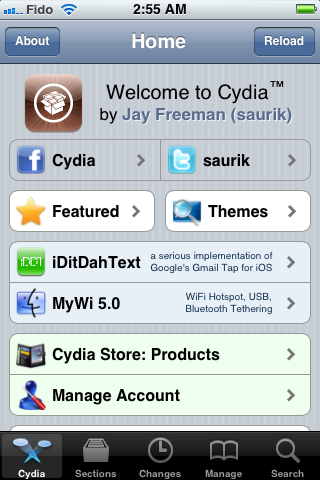
Tap to launch Cydia from your SpringBoard.
Step Three
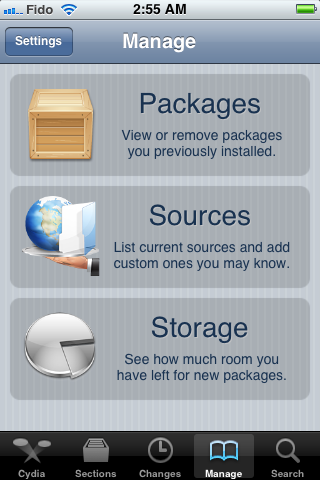
Press to select Manage from the tabs at the bottom of the screen.
Step Four
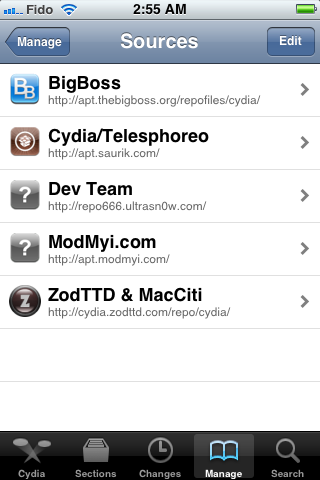
Press the large Sources button.
Step Five
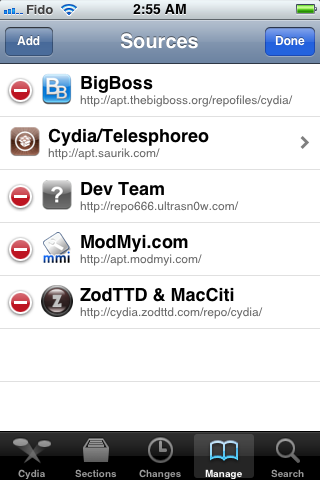
Press the Edit button at the top right of the screen.
Step Six
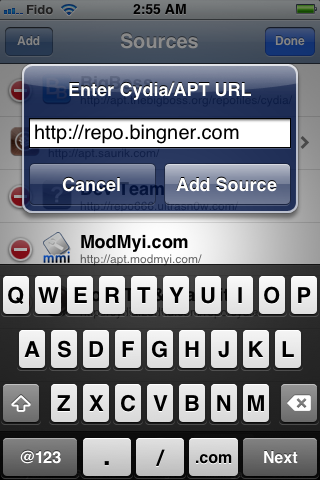
Press the Add button that appears at the top left of the screen.
Step Seven
Enter http://repo.bingner.com and press the Add Source button.
The iPhone Dev-Team has updated RedSn0w-0.9.10b7 to jailbreak the iPhone 4S and iPad 2 on iOS 5.0.1.
Version 0.9.10b7 of redsn0w adds a collection of useful features: It finally implements the corona-A5 jailbreak for iPhone4S and iPad2 devices still at 5.0.1. It can also re-install that jailbreak for those who accidentally uninstalled the untether. When stitching an IPSW, it can now grab your blobs directly from Cydia. It now shows a lot more info about your device (for instance, whether your iPhone3G has the vulnerable baseband boot loader, or whether your iPhone3GS has the old exploitable bootrom. (And the next new feature to be added will be built-in restore support, to provide an alternative to iTunes restores.)
Download Redsn0w 0.9.10b7:
You can download redsn0w 0.9.10b7 for Windows and Mac OS X from the links below:
Semaphore aka @notcom has just released an updated version 5.10.11 of TinyUmbrella for Windows and Mac OS X . Surprisingly only one new feature has been added in this update, this latest version of TinyUmbrella will save BBTickets of your iPhone 4, iPhone 4 CDMA and iPhone 4S. The developer didn’t mention anything about their future plans on how they’d use these iPhone BBTickets.
Yesterday, It was confirmed that AT&T is going to start unlocking off-contract iPhones for free.
Users who have finished the two year contract with the company can now get their iPhones unlocked, but what about Vodafone users with 4.11.08 baseband ?
Add Media library in the local Library Add HTTP Proxy in Option Add Ungrouped in contact, and Up\Down keyboad shortcut Fix the problem when importing photo Fix photo viewing problem Improved importing photo speed
iH8sn0w has updated Sn0wbreeze to v2.9.3 with Apple TV support and bugs fixes. This version is mainly for users who dumped their SHSH blobs. On the initial boot, the Apple TV may have a black screen for 60 seconds after setting up the Apple TV. This is normal.
Sn0wbreeze v2.9.4 comes with:
Added Apple TV 2 support for iOS 4.4.3/4.4.4.
Fixed rare issues with iOS 5.0.1 where it would halt on the Apple upon boot.
Apple just released the new version of iOS, iOS 5.1, throughSoftware Update. Notable new features in this update include Siri support for Japanese users, a new camera shortcut, and new Camera app for iPad. Full changelog below. This update contains improvements and bug fixes, including:
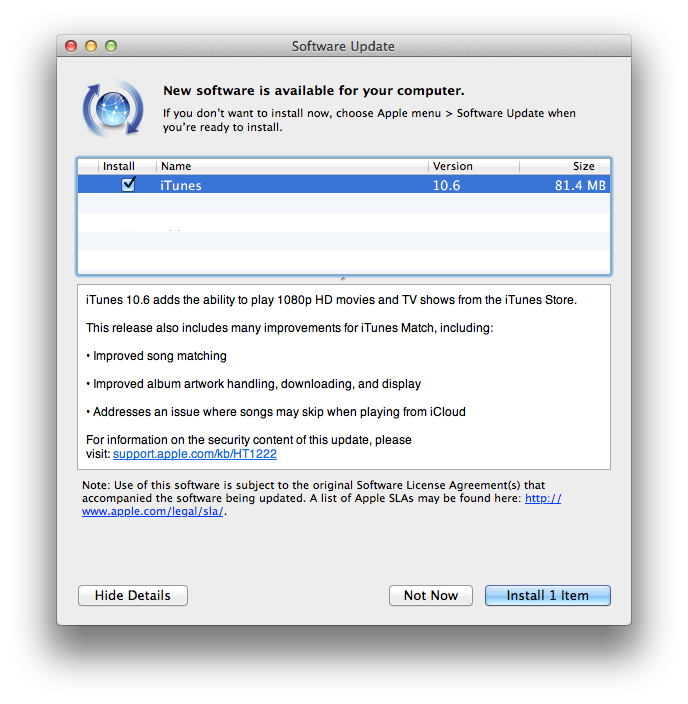
Apple has released an update to iTunes via Software Update.
iTunes 10.6 adds the ability to play 1080p HD movies and TV shows from the iTunes Store.
This release also includes many improvements for iTunes Match, including:
• Improved song matching
• Improved album artwork handling, downloading, and display
• Addresses an issue where songs may skip when playing from iCloud
Thank you for your support over the past year, we strive to do better! Fully optimize the experience of the library: 1. A local library to manage the equipment matching
2. (2) optimize the screening system, more convenient and rapid positioning of the desired program
3. 3 to add the shrinkage of the system classification
4. Joined developers, release time, file paths and fields to support more information
5. 5 new taskbar experience, more intuitive installation uninstall the experience to fully optimize the information management: ----- 1. (1) optimize the contacts architecture: support contact grouping, search, add more convenience and editing experience
2. (2) optimize the information management architecture to support the bubble display, conversational SMS
3. 2013 (3) calendar new Lunar support (until 2013) Photo Gallery optimization:
1.A combined camera film and photo albums, and now see in the see gallery management and equipment of
2.Optimized photo management logic is no longer mandatory to shut down the equipment on the photo gallery script
3. iTools HD New iTools wallpaper gallery, love the wallpaper HD page
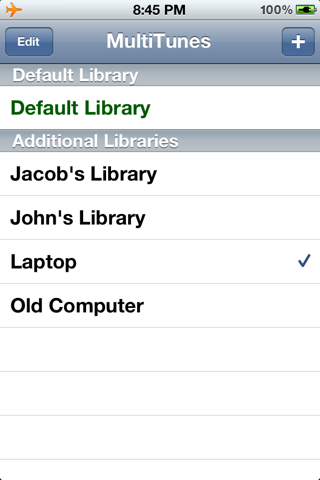
How to Sync iPhone with Multiple iTunes? Synchronizing an iDevice with more than one iTunes libraries has always been a problem. Because the second computer will erase the previous content from your iPhone. This issue can be fixed by altering some files in iTunes but it is a lengthy and hectic procedure. Well, you can do that now by using only some taps. Yes, you can sync your iPhone with multiple iTunes libraries using a free Cydia tweak, called Multitunes.
The user interface of this app is pretty simple and understandable. Before Sync your iPhone with any other iTunes library, you will need to create a library in Multitunes on your iPhone. To do this, Open up Multitunes, Click on “+” button and add an iTunes library. Now select this library and transfer data from your Computer to your iPhone. In this way you can sync with multiple computers by creating multiple libraries on your device.
Sync iPhone with Multiple iTunes using Multitunes [video]
Well, if you want to download any app from iTunes or AppStore don’t forget to select the default library. Otherwise, it will not download your data. The best part about this tweak is that you can get this tweak without spending even a single cent in the Cydia store, it is absolutely free of cost You can find MultiTunes on BigBoss repo.
What's New: Supports devices: iPhone 1,3G,3GS,4,4S iPad 1,2 iPod touch 1,2,3,4 Supports iOS versions: iOS 1, 2, 3, 4, 5,5.01 1. Add iTunes backup management. 2. Add Time of apps added into iTools app lib. Now can be sorted by time. 3. Optimize FileSystem. 4. Now the Folder can be removed properly from Favorite 5. Add Path to shortcut the location 6. Brand new Plist editor 7. Add tag color 8. Add shortcut key like F5 for refresh, Ctrl+D for export, Ctrl+S for save, Ctrl+Z for reversal. 9. Now music can be sorted by ID3 track No. 10. IOS 4.3.3 SMS restoring won't create new dialog. 11. Optimize Picture loading speed. 12. Solved iTunes incompatible problem. DOWNLOAD
or Updates #5b and #5c: Version b5b fixes an issue with using custom ramdisks on iPhone3G and iPod2G, and version b5c prevents redsn0w from crashing due to the ever-growing ramdisk size.
TIP: If auto-detection fails and redsn0w tells you no identifying data was found, you can always pre-select the appropriate 5.0.1 IPSW using “Extras->Select IPSW”. Here are the redsn0w download links:
The iPhone Dev-Team has released RedSn0w 0.9.10b5 which includes another fix for iBooks by planetbeing.
redsn0w version b5 incorporates yet another fix for iBooks, this time involving DRM. @planetbeing wrote a utilitycalled "crazeles" that overcomes jailbreak detection by iBooks that would cause about 10% of images to show incorrectly. This fix is similar to the "hunnypot" fix that @comex wrote for the 4.x jailbreak. As usual, you can choose to install the fix either by re-running redsn0w over your existing jailbreak (de-select Cydia if you do that), or by installing the corona package from Cydia (it's the same set of files no matter which way you choose).
Apple has just released an updated version of iTunes, iTunes 10.5.3. Apple made some really amazing education related announcements in a special event which was held in New York earlier today.
Apple has already made eight iBooks Textbooks available to download from iTunes.
The textbooks are from Pearson Education, Wilson Digital, and McGraw-Hill Education. They cover subjects such as Algebra, Biology, Chemistry, Physics, and more.
Each textbook costs $14.99 and offers a free sample to download.
Just a quick heads-up: notcom has just updated TinyUmbrella to support iPhone 4S 5.0.1b “9A406″. Although we cannot exploit/restore iPhone 4S SHSHs we still should save them just in case. Download TinyUmbrella for Mac and Windows here…